Unsubscribe group
The unsubscribe view allows you to create and manage unsubscribe groups, through which users can opt out of receiving notifications.
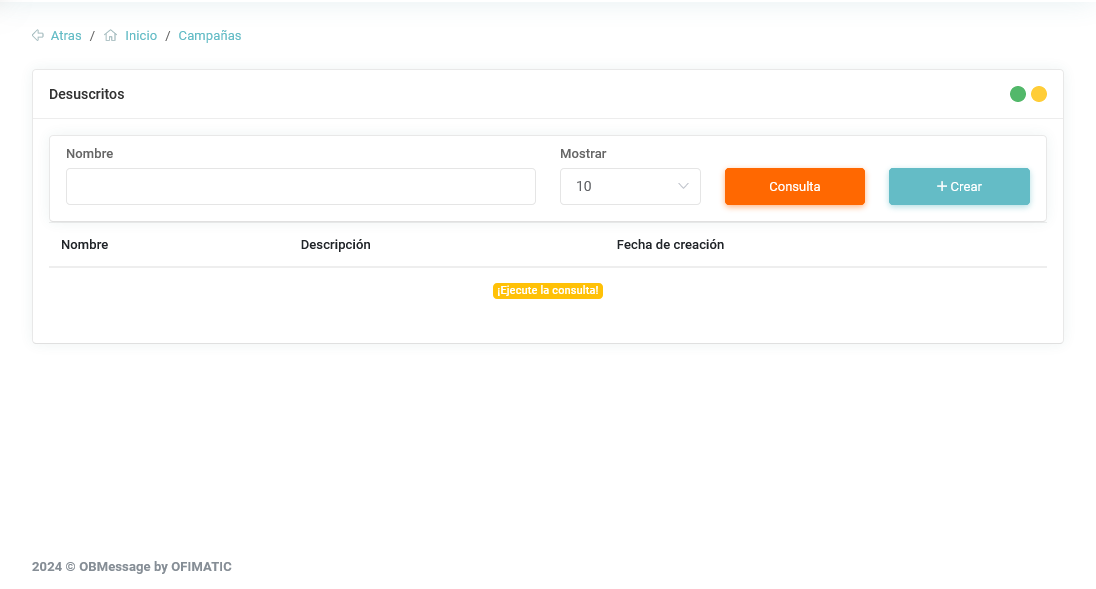
- Name: shows the name assigned to the unsubscribe group.
- Description: shows the description added to the unsubscribe group.
- Creation date: shows the date when the unsubscribe group was created.
Create new unsubscribe group
To create an unsubscribe group, click the "+Create" button. When you click this button, the creation view will be displayed.
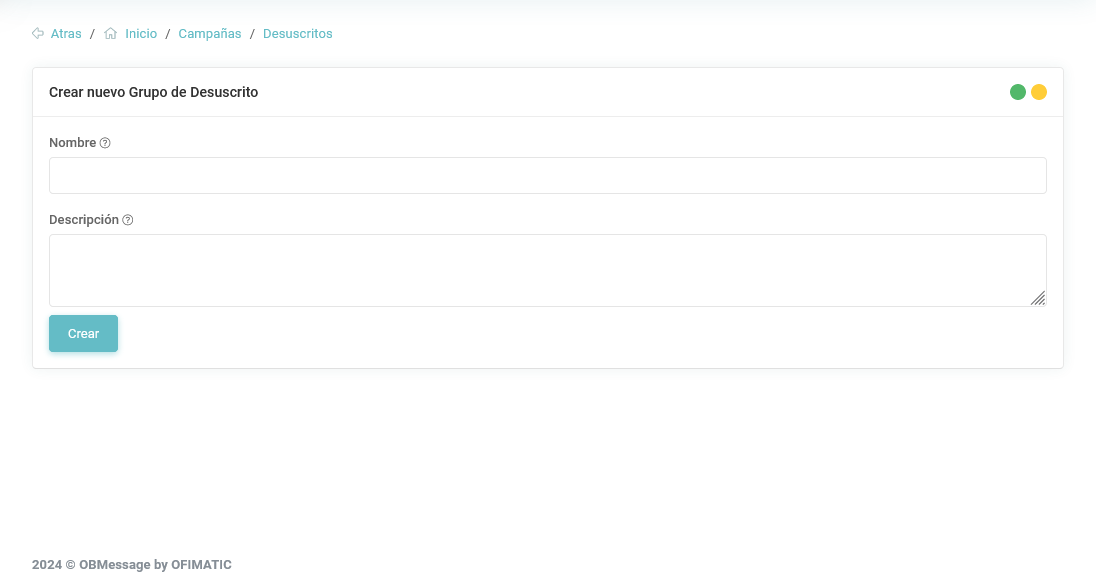
- Name: name of the unsubscribe group.
- Description: brief description of the unsubscribe group.
Update unsubscribe group
To update an unsubscribe group, click the list you want to modify. A view will be displayed where you can modify the Name and Description values.
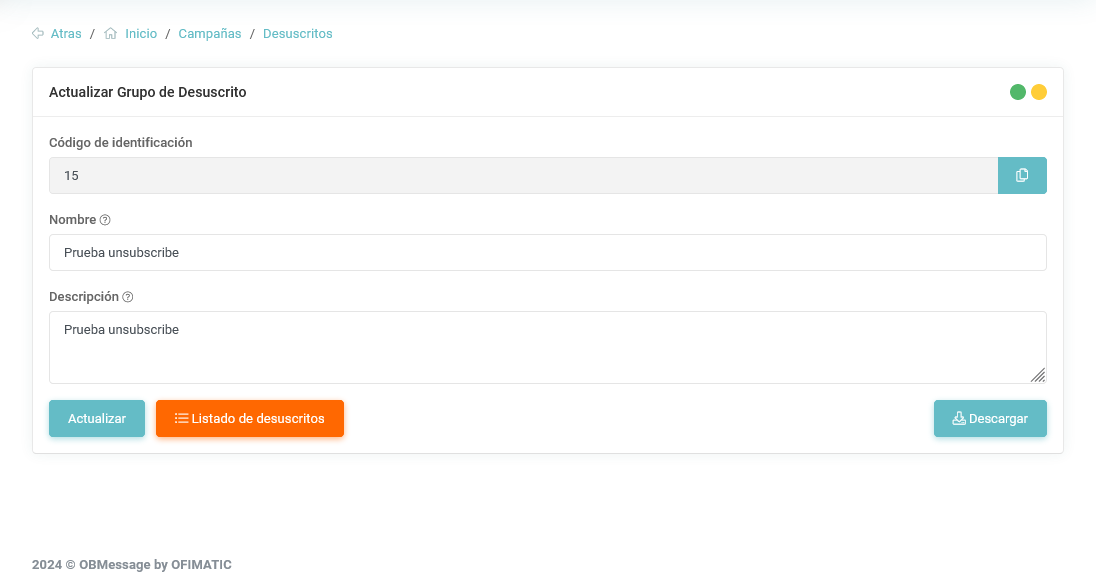
In this view, you can view the unsubscribe list and download it directly in .csv format.
Unsubscribe list
The unsubscribe list displays the contacts that have opted out of the sent campaigns.
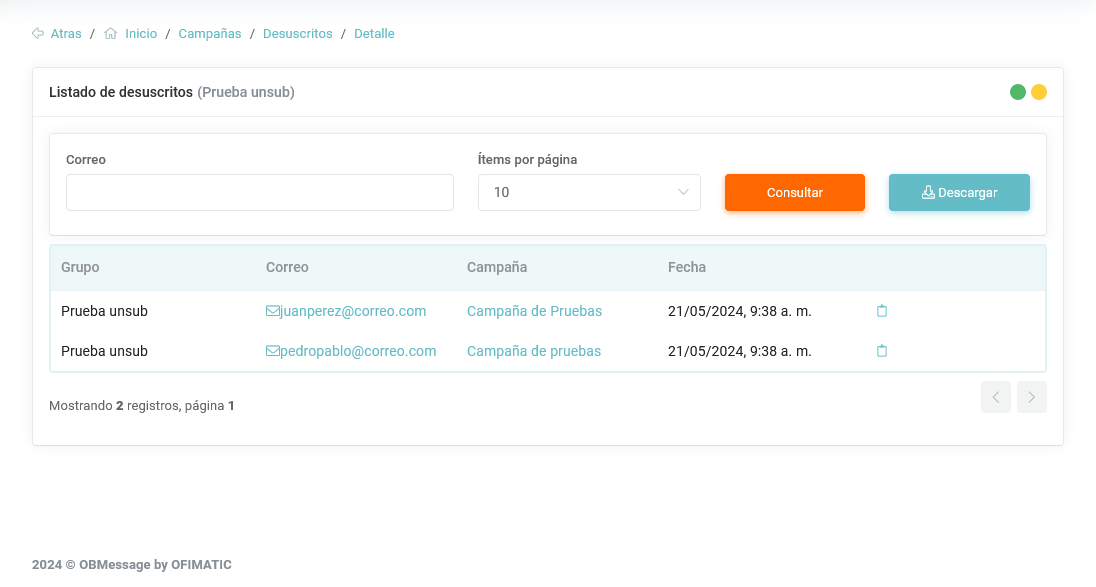
- Group: name of the unsubscribe group.
- Email: email address of the user who unsubscribed from the campaign.
- Campaign: campaign from which the user unsubscribed. This field may appear empty if the user unsubscribed without the notification being sent through a campaign.
- Date: date when the user unsubscribed.