Quick query
In this section, you can check the status of messages sent to a phone number or email address.
The quick query contains the following fields:
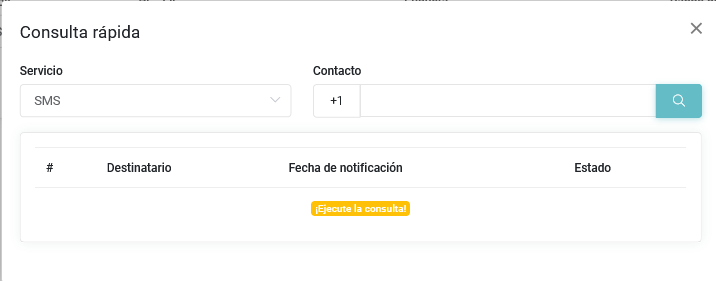
- Service: allows you to select the type of message you want to query.
- Recipient: allows you to enter the phone number or email address.
- #: unique identifier of the record.
- Notification date: moment when the message was sent.
- Status: indicates whether the message was sent successfully
OK, whether it was received or read, or whether an issue occurred during deliveryerror.
Information generation
Only notifications sent during the last 30 days will be displayed. To view the complete history, go to the Query section.