WhatsApp template
In this section, you can create WhatsApp templates.
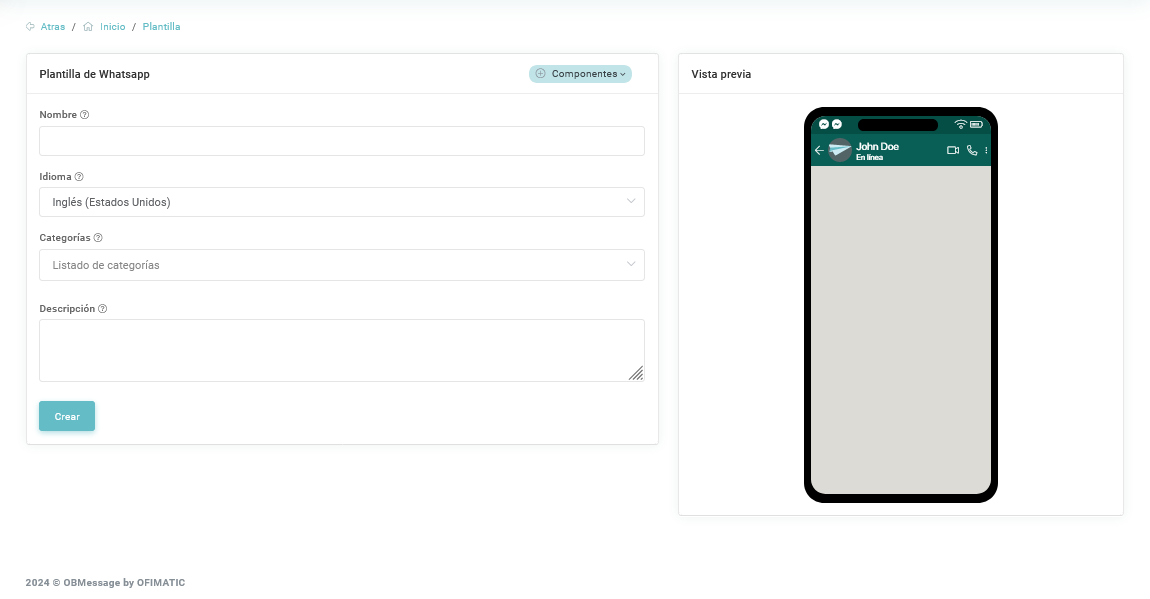
- Name: indicates the name of the template you are creating.
- Language: indicates the language of the template.
- Categories: indicates the categories that will be added to the template.
- Description: allows you to add a brief description of the template.
Components
To create a WhatsApp template, you must use components, defined as follows:
| Component | Description |
|---|---|
| Header | Used to add a header to the message you want to send. |
| Body | Used to add plain text to the message you want to send. |
| Link | Used to add a link to the message. |
| Quick reply | Used to send a quick reply to users. |
Parameters
Each time you add a component, you can add parameters. The available parameters are:
| Parameter | Description |
|---|---|
| Text | Used to indicate the text that the message will contain. |
| Image | Used to add an image to the components. You can add a link or upload the image file. |
| Video | Used to add a video to the components. You can add a link or upload the video file. |
| Document | Used to add a document to the created components. You can add a link or upload the file. |